

webshop
bokningar
evenemang
popup
Form Payment Trigger
från
Run automations only after a form is paid
Inga omdömen än
14 dags gratis provperiod

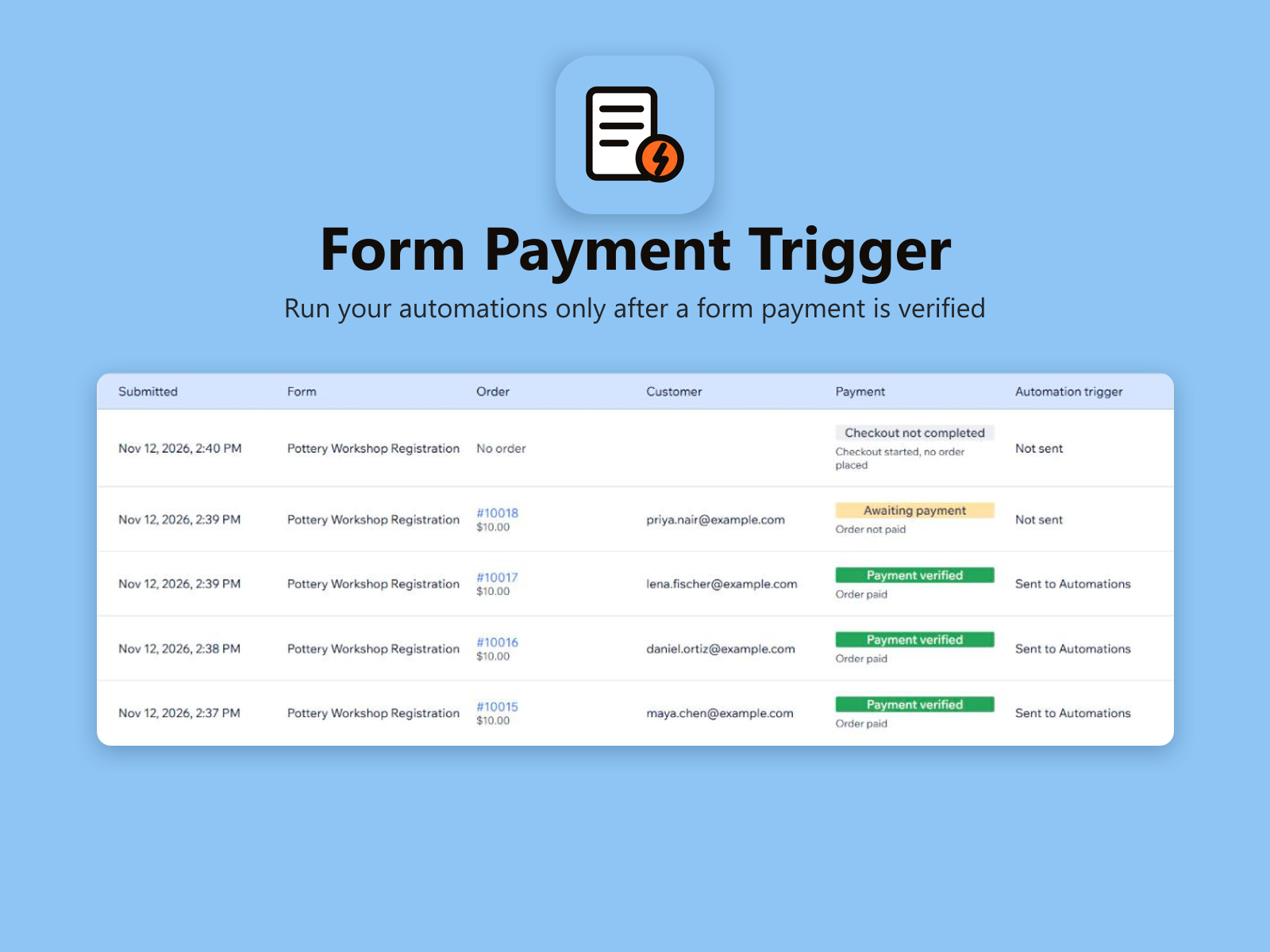
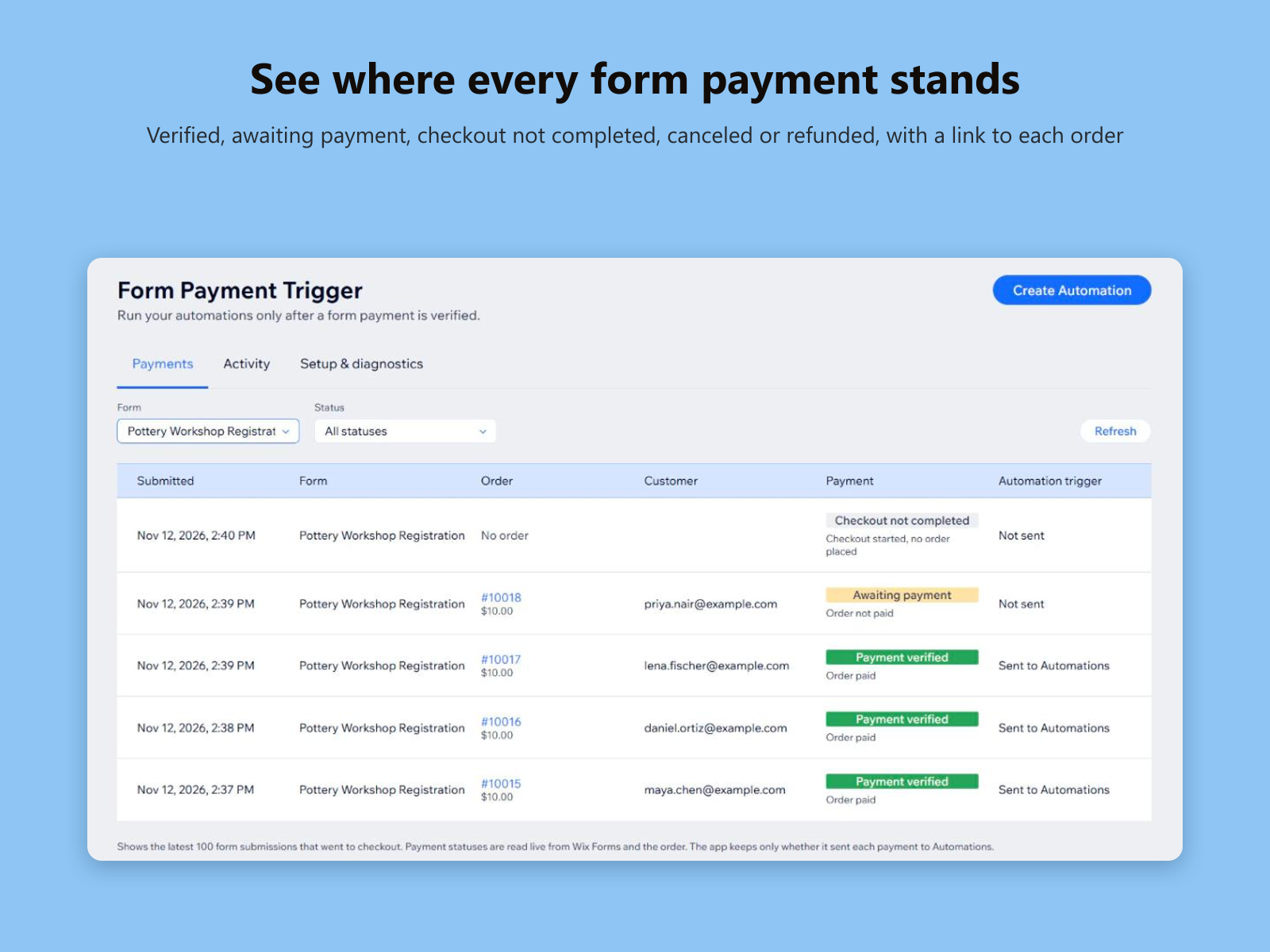
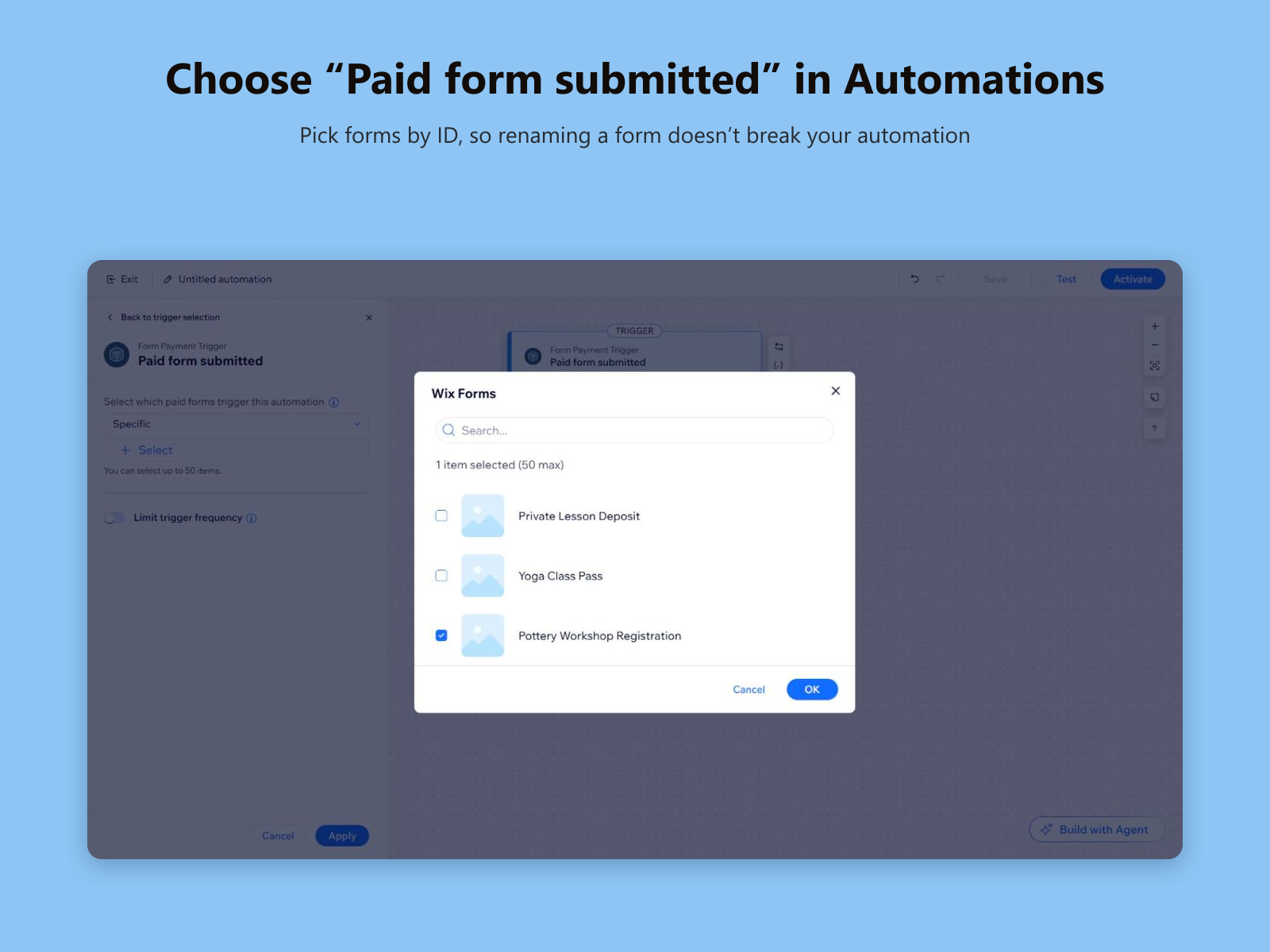
Översikt för Form Payment Trigger
- New Automations trigger: “Paid form submitted”
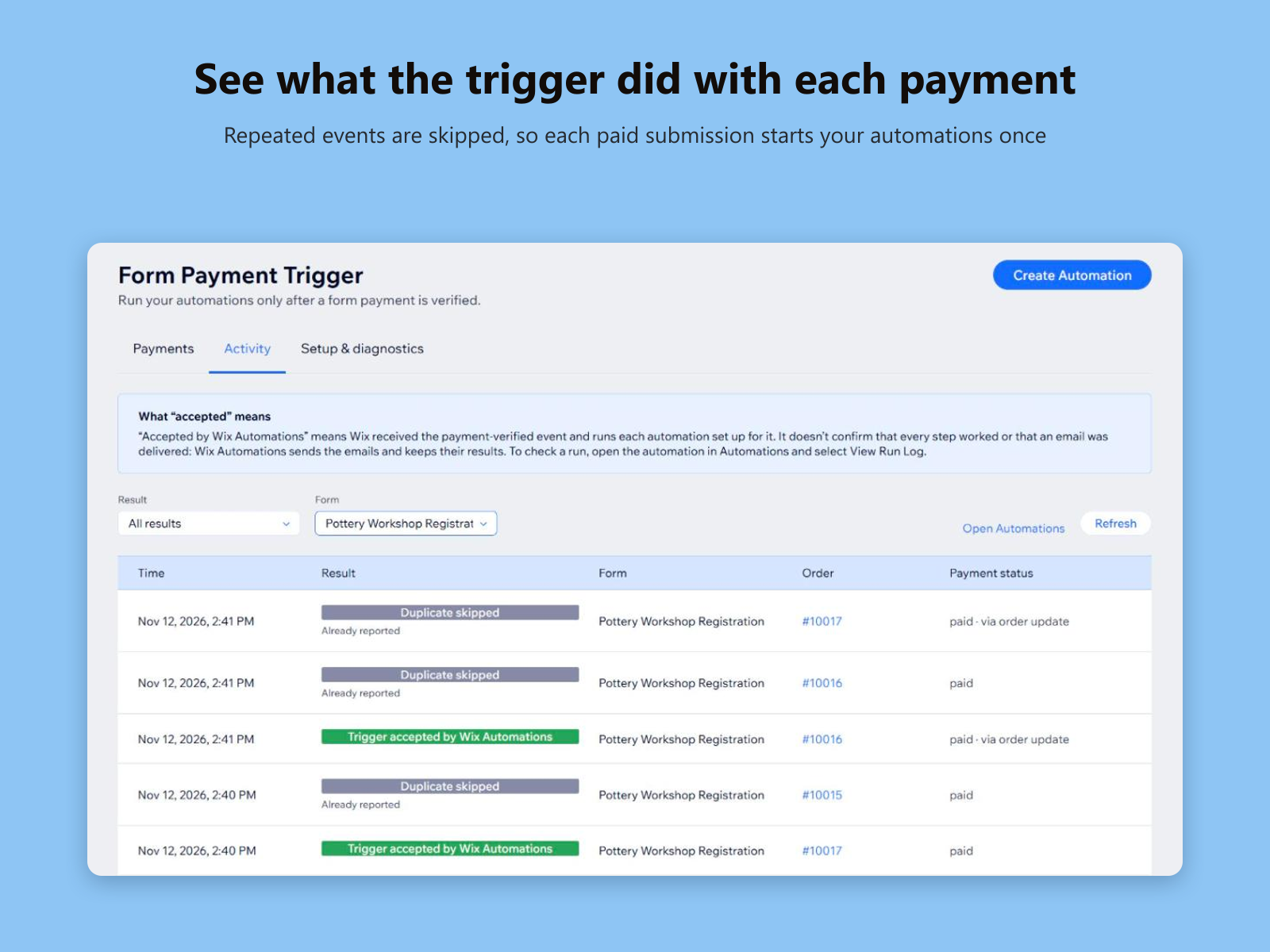
- Runs only once the form’s order is paid
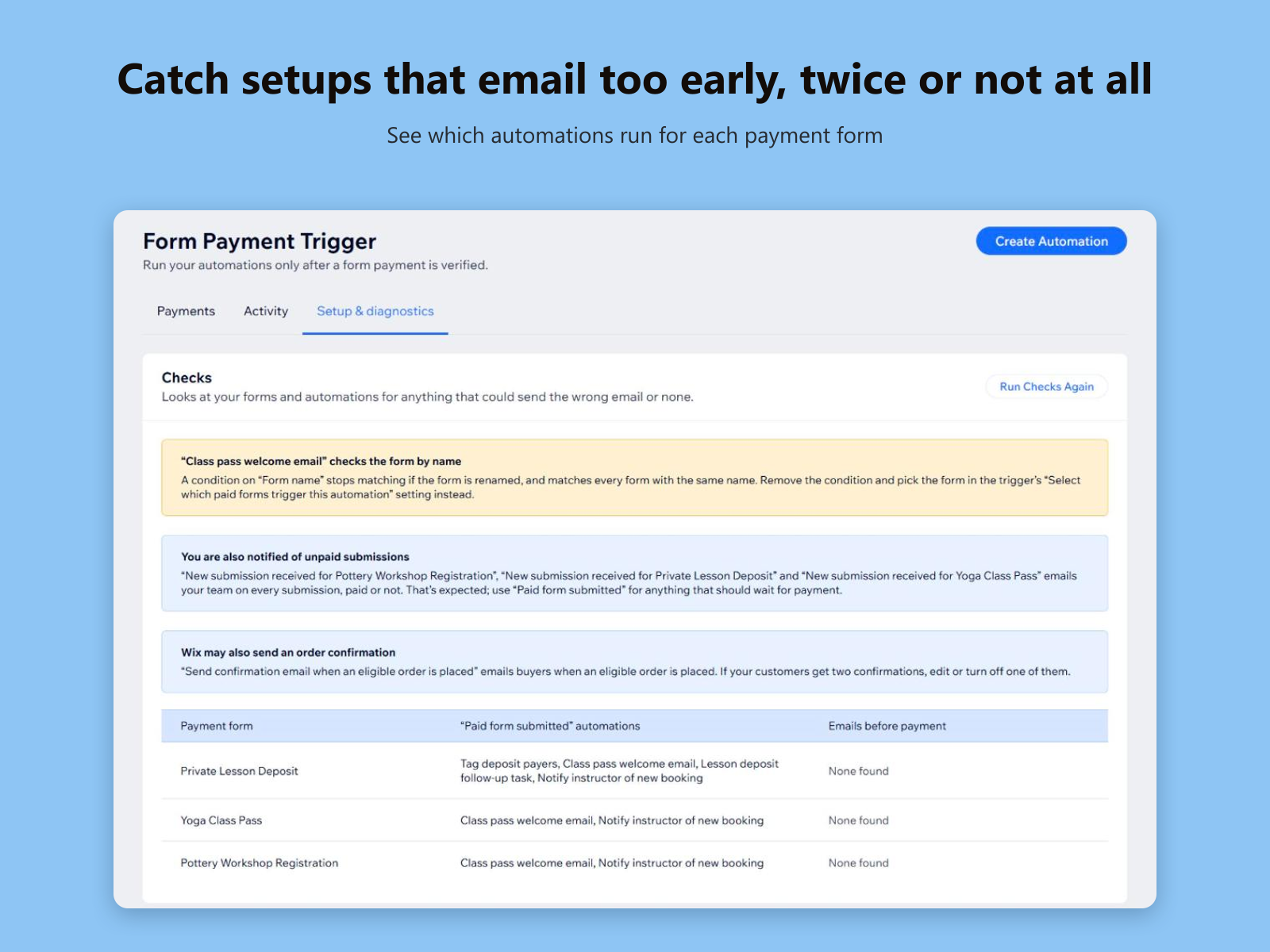
- Pick forms by ID, so renaming a form won’t break it
- See each payment and what the trigger did with it
Betyg och omdömen
Den här appen har inte fått några omdömen än. Bli den första att betygsätta den.Priser & paket
Den här appen erbjuder en 14 dagars gratis provperiodStandard-paket
$
6
58
/månad
Paid form submitted trigger
Payments overview and activity log
Setup checks for your automations
Works with all your payment forms
* Priset är i USD.