

webshop
bokningar
evenemang
popup

Pre-order Desk
från
Pre-orders with ship dates, limits and lists
Inga omdömen än
Gratis paket tillgängligt

Översikt för Pre-order Desk
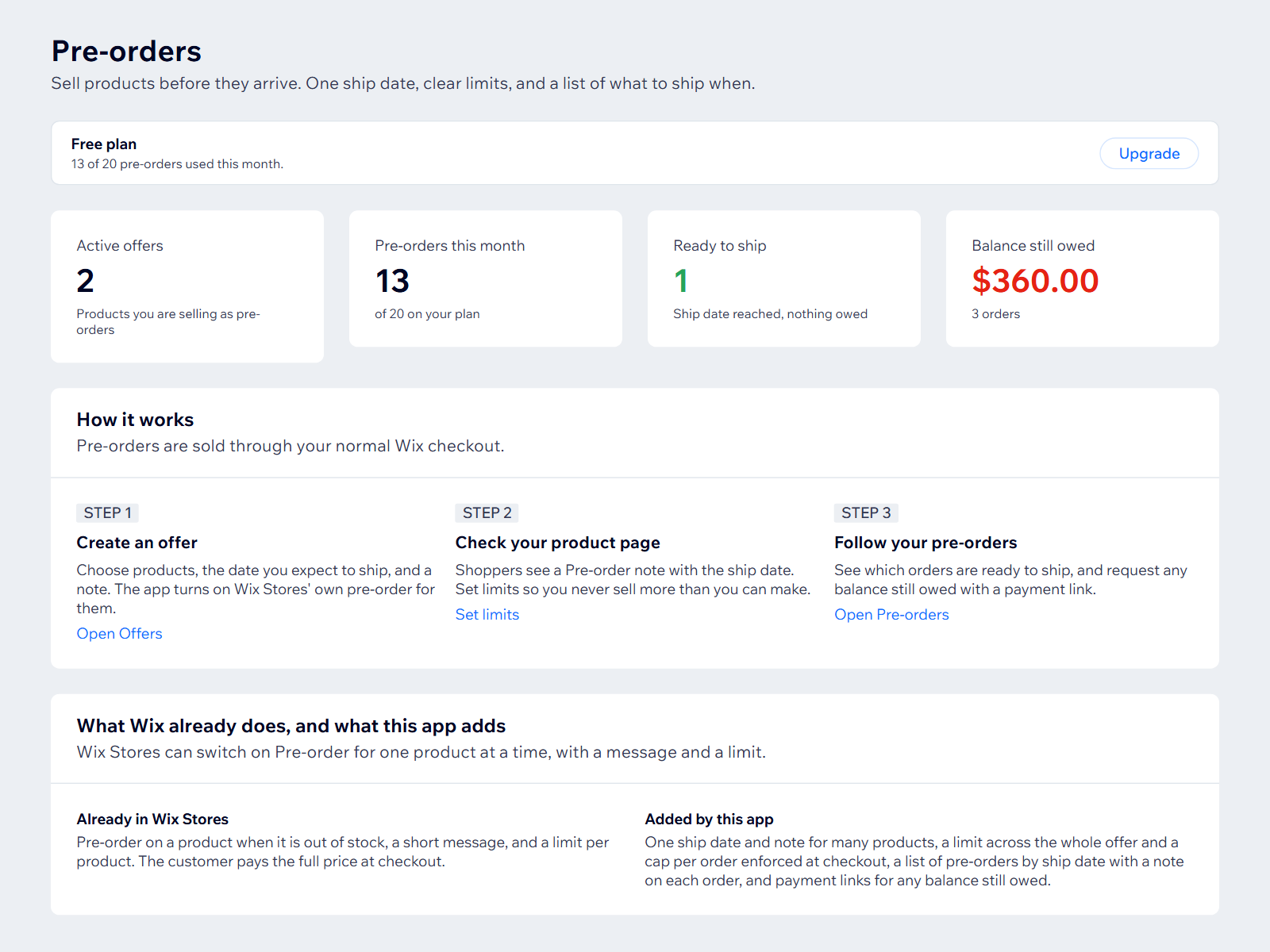
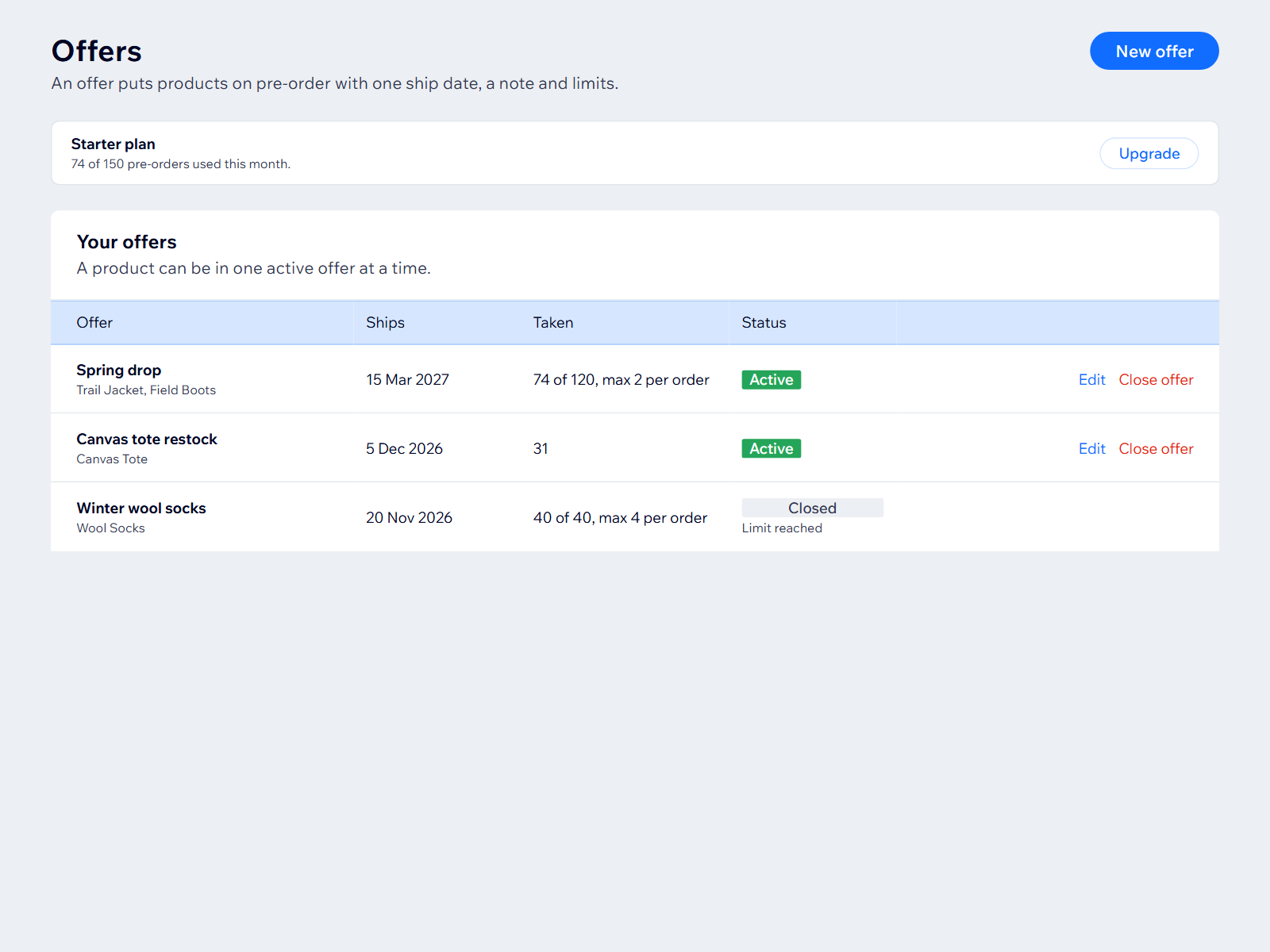
- Put many products on pre-order with one ship date
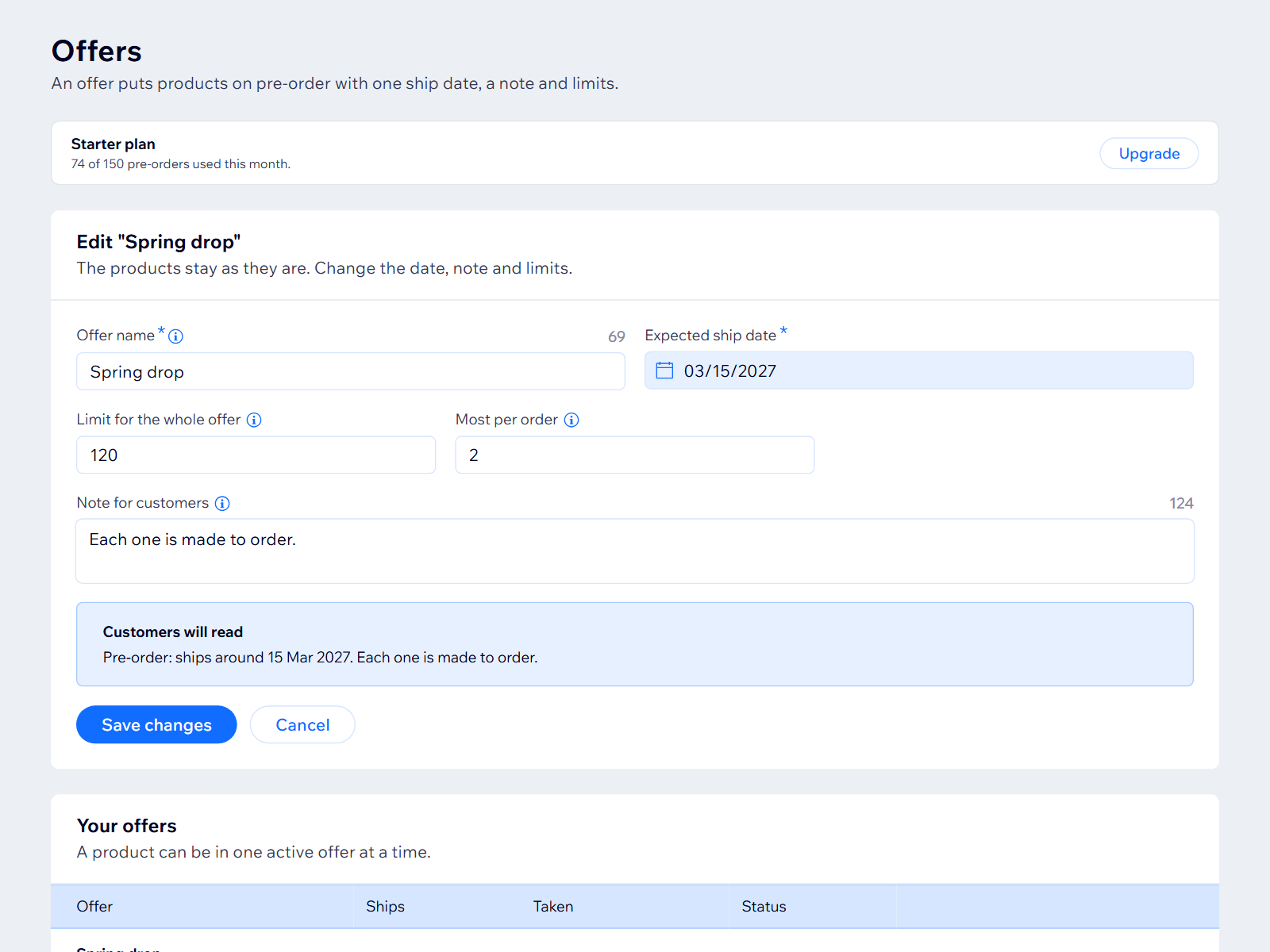
- Offer and per-order limits enforced at checkout
- Ship date and stock left shown on the product page
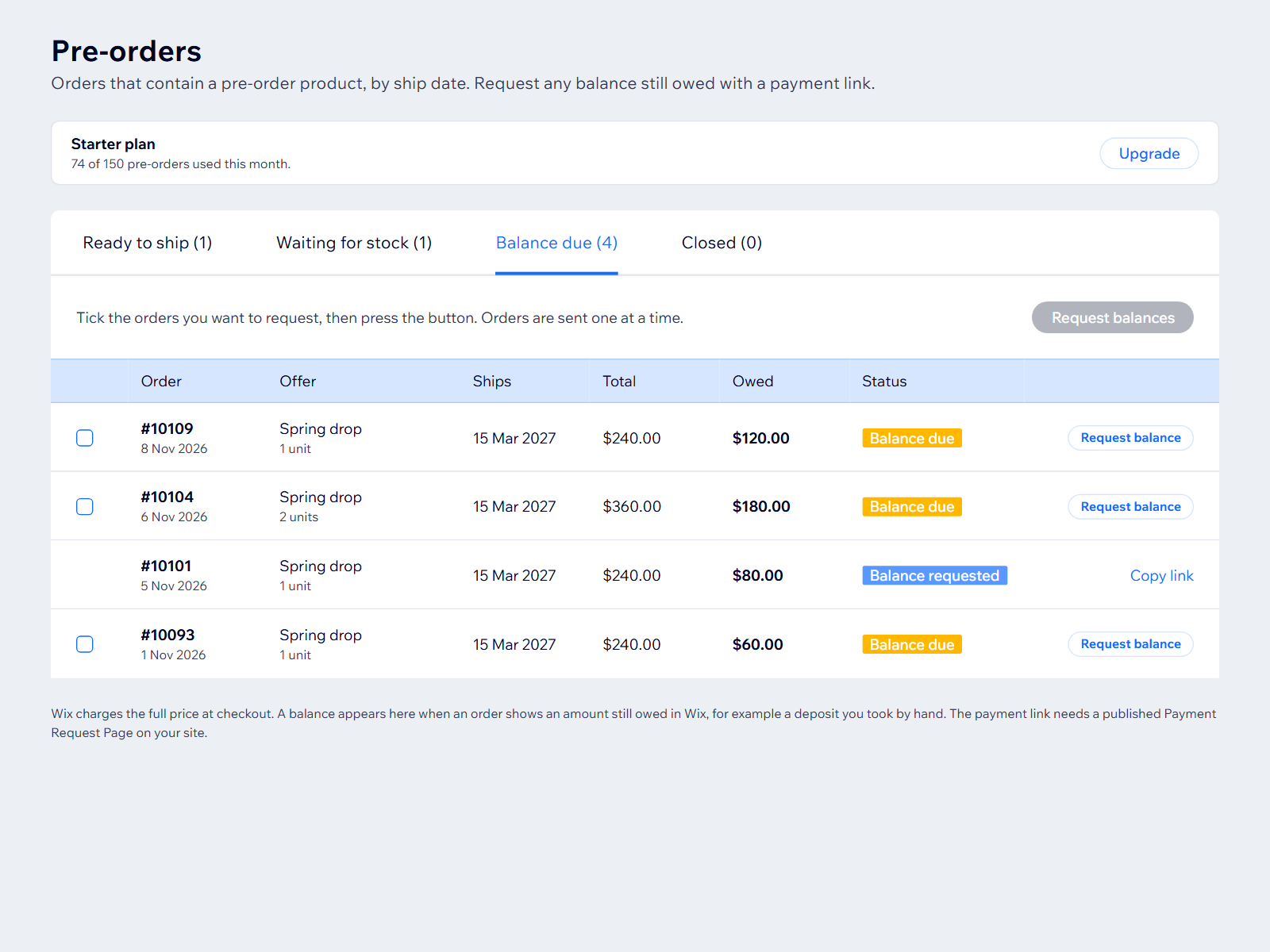
- Pre-order list by ship date, noted on each order
Betyg och omdömen
Den här appen har inte fått några omdömen än. Bli den första att betygsätta den.Priser & paket
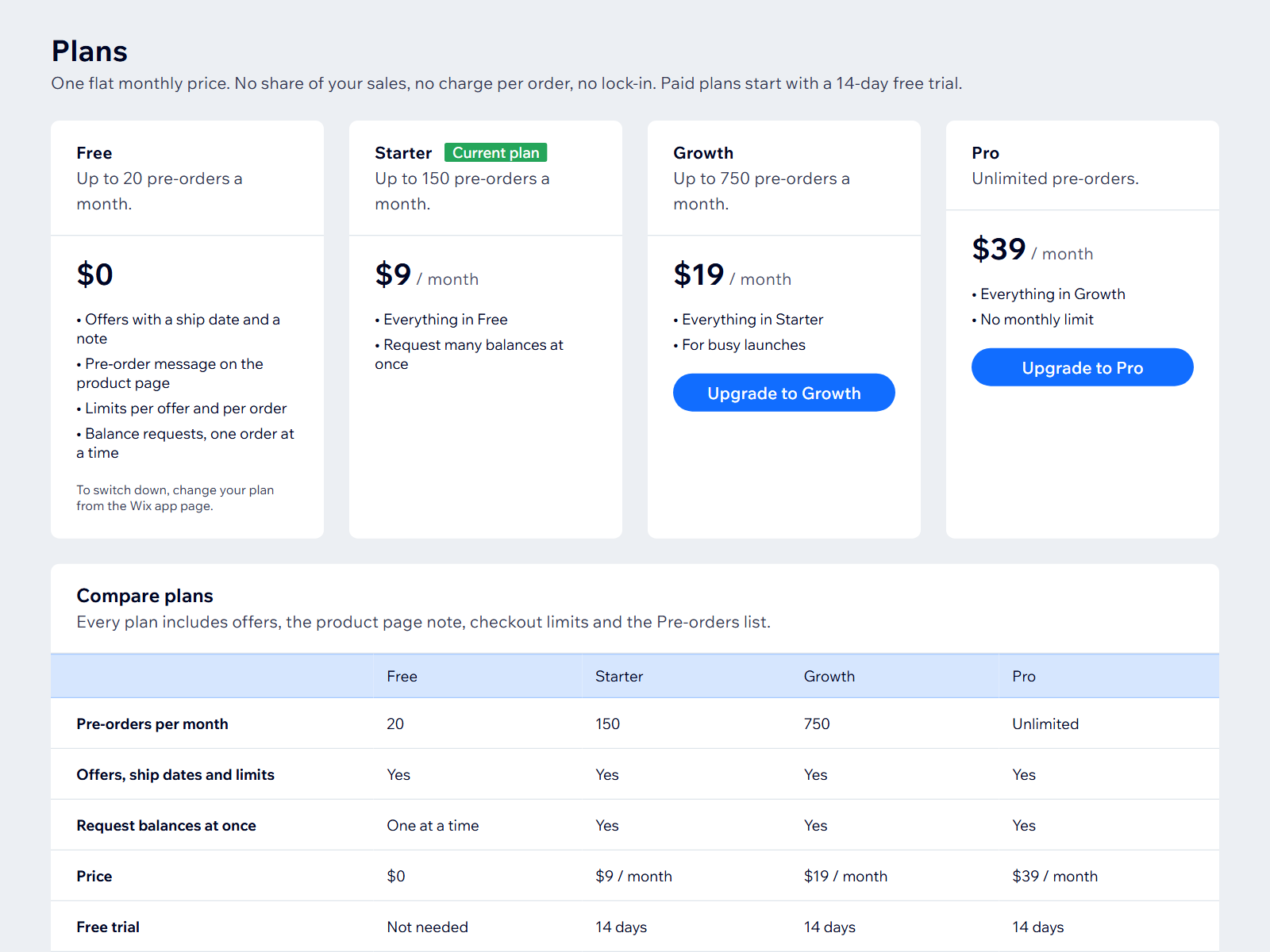
Basic-paket
Gratis
Up to 20 pre-orders a month
Pre-order button on products
Ship dates shown to buyers
Starter-paket
$
9
00
/månad
Up to 150 pre-orders a month
Everything in Free
Request many balances at once
Growth-paket
$
19
00
/månad
Up to 750 pre-orders a month
Everything in Starter
Built for busy launches
Pro-paket
$
39
00
/månad
Unlimited pre-orders
Everything in Growth
No monthly limit
* Priset är i USD.