Wix App Market Logo

wix logo


Trending Topics
webshop
bokningar
evenemang
popup

Restock on Cancel logo

Restock on Cancel

från
Put stock back for canceled orders, one by one
Inga omdömen än
Gratis

Översikt för Restock on Cancel

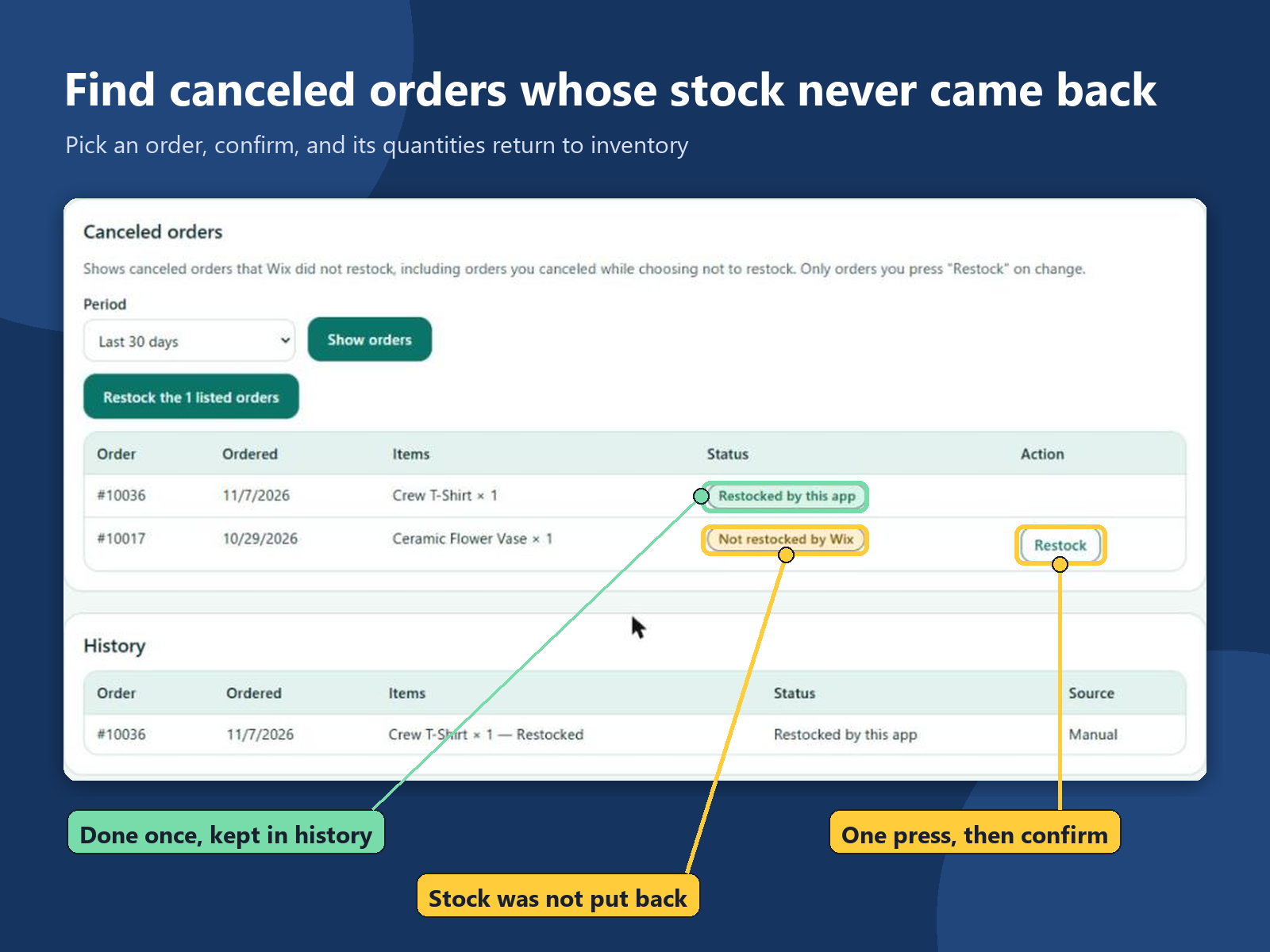
  • Lists canceled orders whose stock was not put back
  • Restock an order with one press and a confirm
  • Each order is restocked once, with a history
  • Adds stock only; counts are not lowered
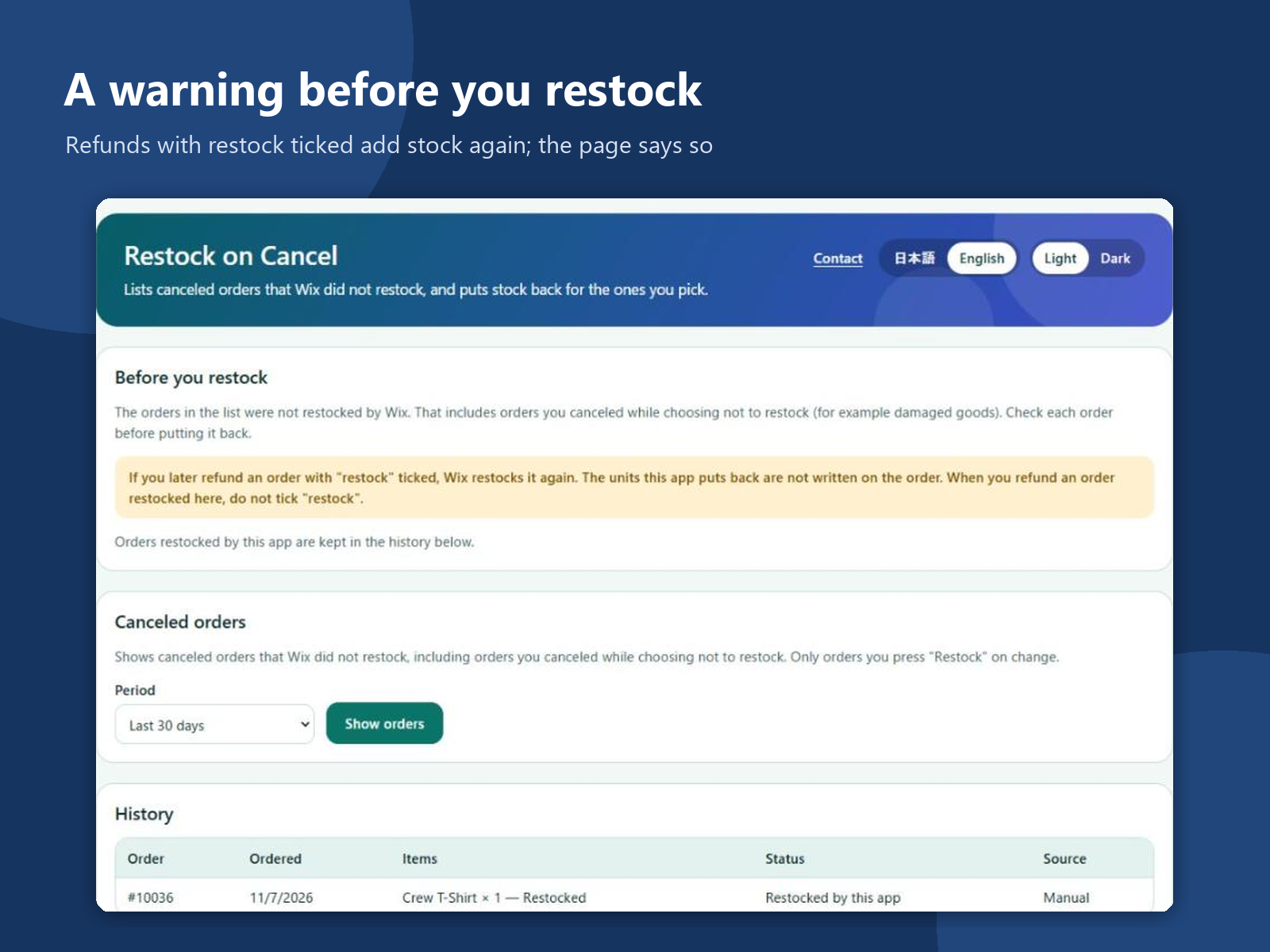
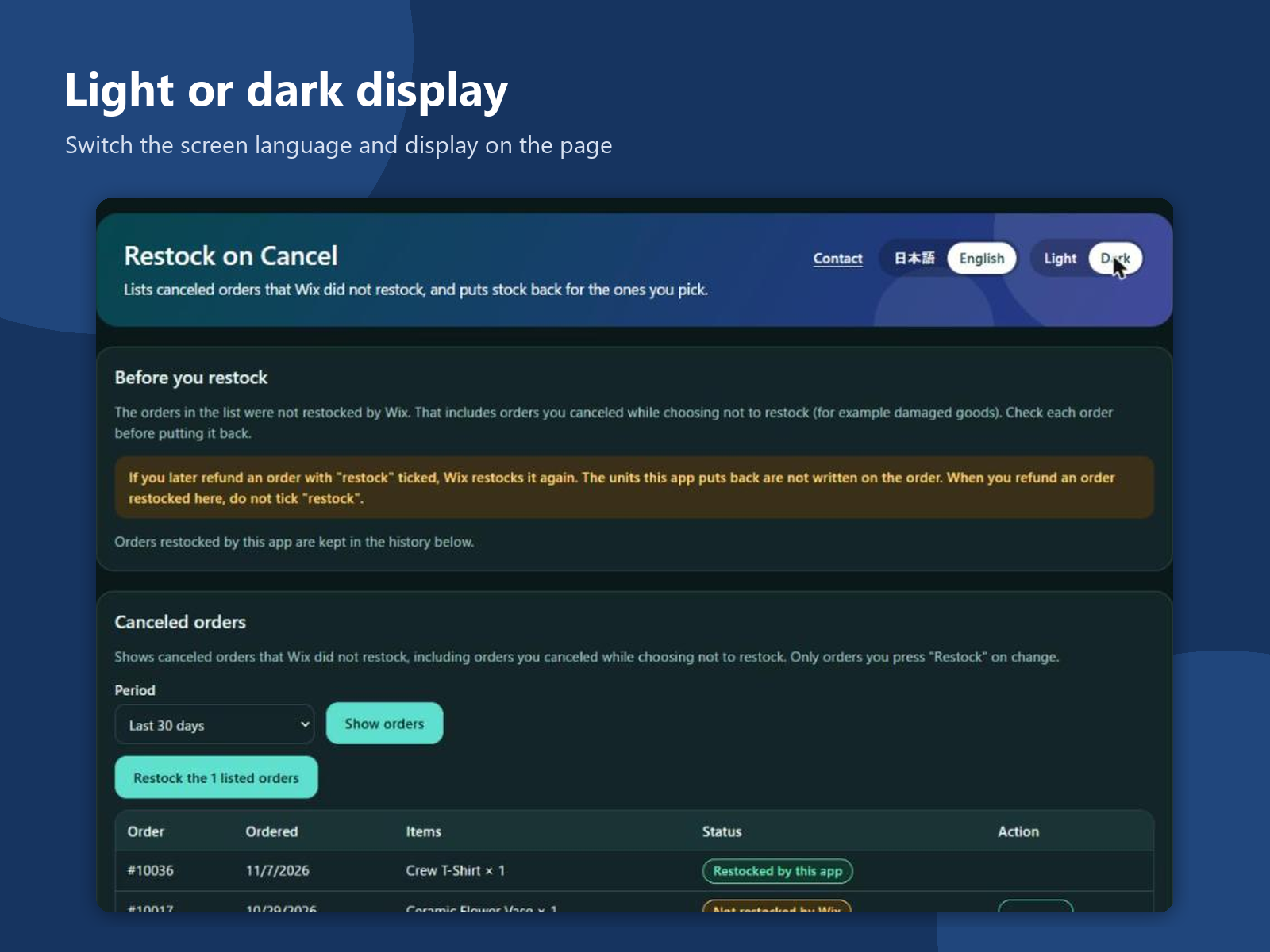
When an order is canceled without putting its items back into stock, the products can show as sold out or low while they sit on your shelf. Finding those orders and fixing each count by hand takes time, and it is easy to add the same units twice. This app adds a page to your dashboard. Pick the last 30, 90 or 365 days and it lists the canceled orders whose stock was not put back, with the order number, date and items. Press Restock on an order, confirm, and the app adds those quantities back to your inventory. The order then shows as restocked by this app, and a history keeps the order number, items, quantities and time. Each order is restocked once, and only when you press the button. The app only adds stock; it does not set or lower a count. The list can include orders you canceled while choosing not to restock, such as damaged goods, so the page asks you to check each order first. If you later refund an order with restock ticked, stock goes up again, and the confirm step says so. It reads orders and inventory. The history is kept in your site's data and holds no customer names or emails. The screens are in English and Japanese, light or dark.
Tillgänglighet:
Den här appen är tillgänglig över hela världen.
Språk i appen:
Engelska, 
Japanska
Du kan översätta allt innehåll i appen som visas på din hemsida till valfritt språk.
Krav på hemsidan:
-

Betyg och omdömen

Den här appen har inte fått några omdömen än. Bli den första att betygsätta den.

Bygg och lansera din app för fler än 230 miljoner Wix-användare